Teleprompter for iPhone
Put your iPhone next to your camera's lens and paste your script. Prompter turns it into cards you tap through, or text that scrolls at your pace — so your eyes stay on the lens and your words stay yours.
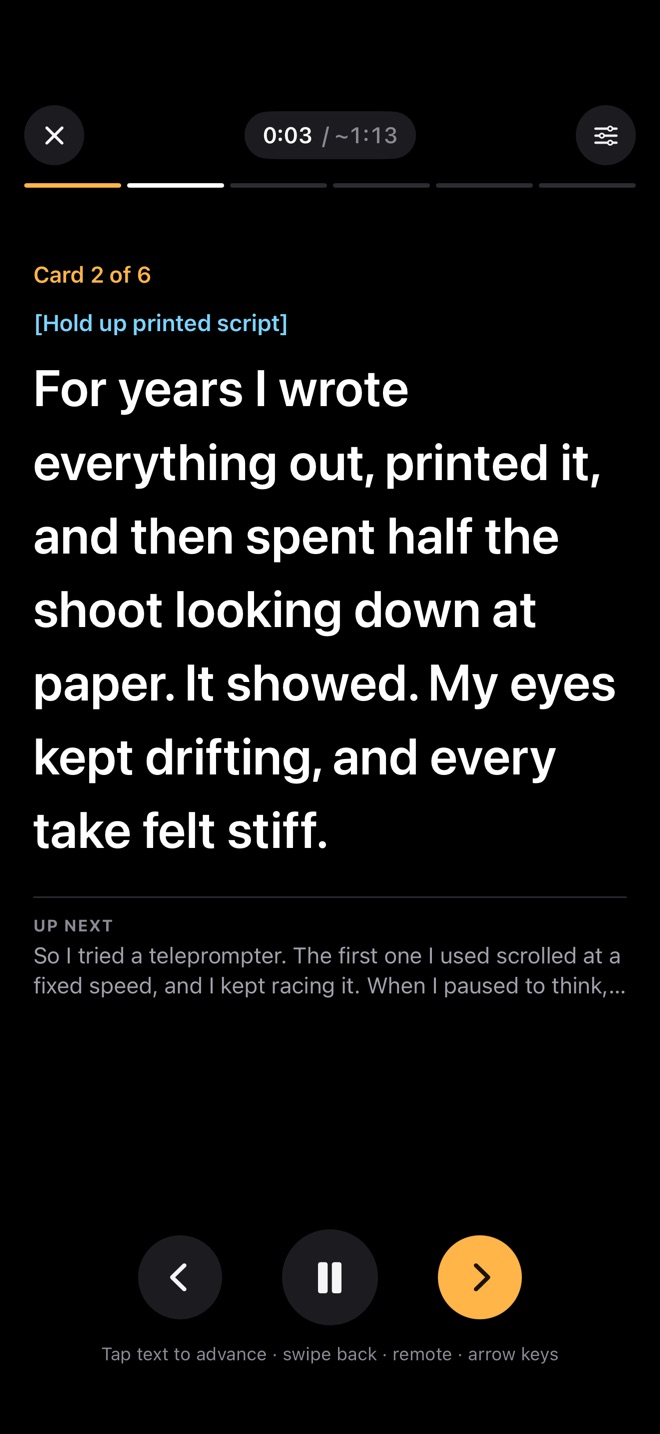
Paste the whole script. Prompter splits it into short cards by paragraph, by sentence or by a word limit, and shows you every card before you start.
A line with --- always starts a new card. Text in [brackets] becomes a cue — smile, show the product — that you see but don't read aloud.
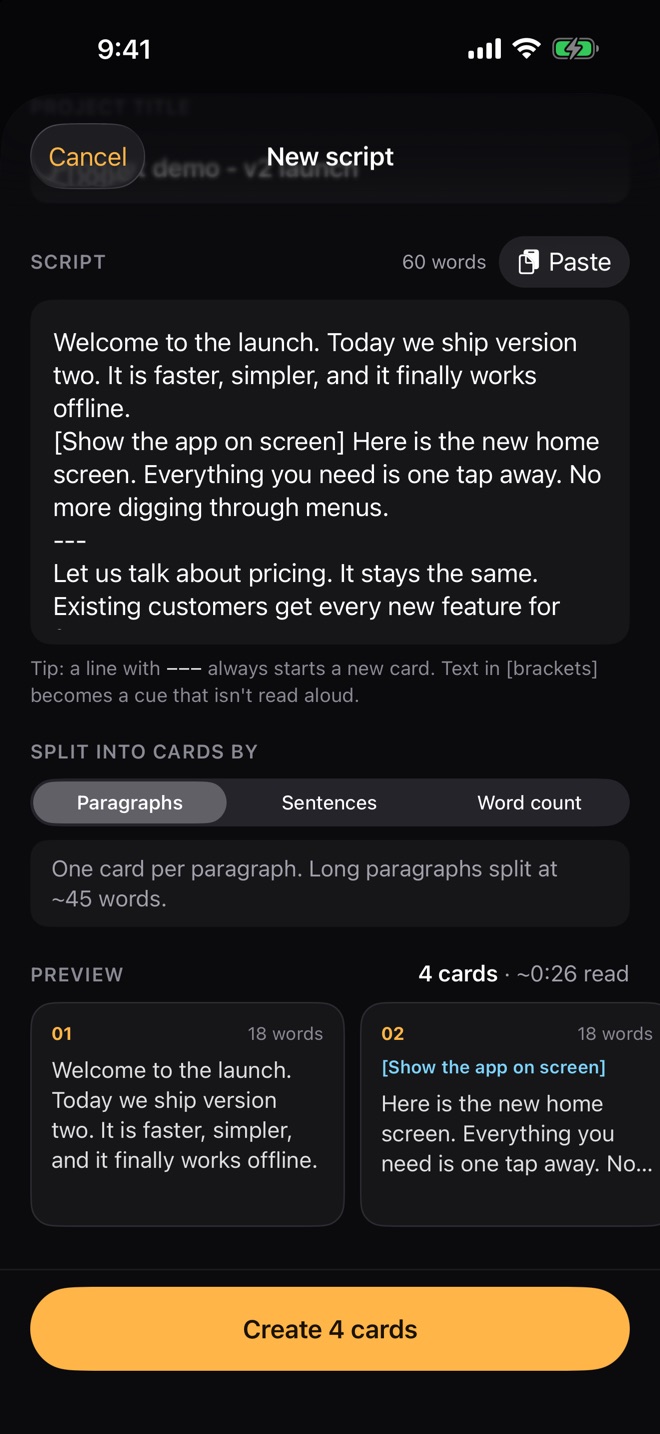
Some videos are a handful of ideas you say in your own words. Some need every word right. Prompter does both.
One idea at a time, in big type. Tap, swipe or click a remote to go on.
The script rolls past a reading line at your words per minute, or follows your voice.
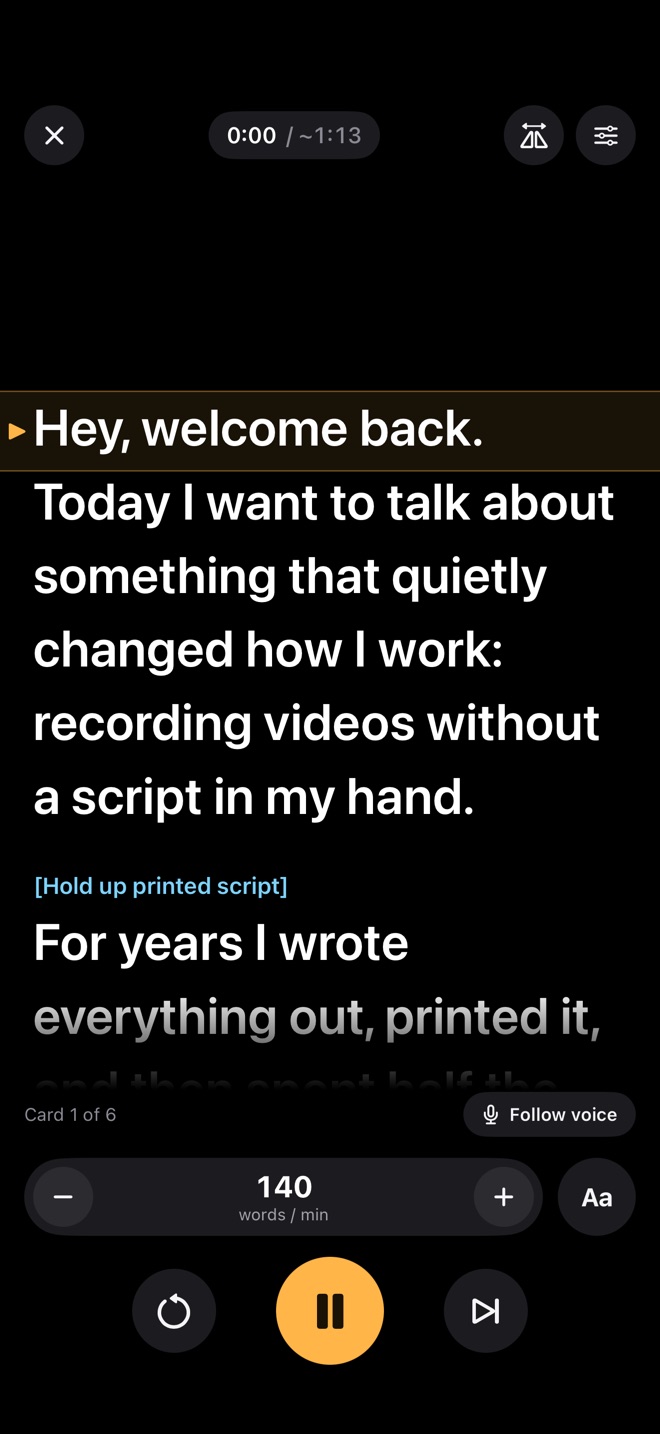
Put the text at the top, centre or bottom — whichever edge sits closest to your camera.
One tap flips the text for a beam-splitter rig.
Scrolls as you speak and waits when you pause. Recognition runs on your iPhone; nothing is recorded.
Bluetooth page-turners and keyboards move between cards, play, pause and change speed.
Controls fade after a few seconds. The screen stays awake and bright while you read.
Three or five seconds to get ready before the script starts to move.
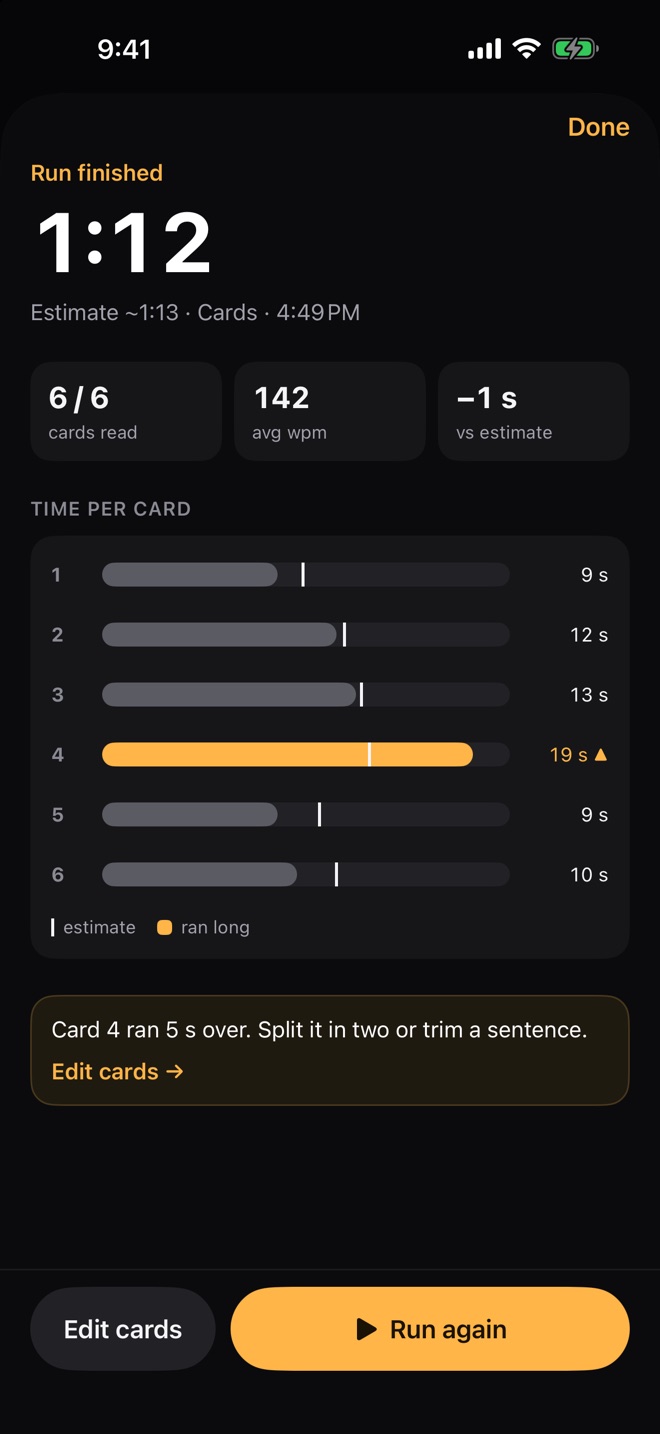
After every run you see your total time, your words per minute and how long each card took against your speaking pace.
Prompter points out the card that ran long, so you know exactly which one to split or trim before the next take.
No account, no ads, no tracking. Your scripts and run history stay on your iPhone, and the app never talks to a server of ours — there isn't one.
Paste it, pick cards or scroll, and look at the lens.
